





35% off the annual BASIC and PRO license until October 14. Code: FREEMODE.
AlbumTeller 2.0

Fast as
always.

More complete
than ever.

AlbumTeller 2.0

Watch the trailer
AstiColorATL ColormaticColorex LabCriativa ÁlbunsDigitalShopDP AlbumDreambooksProGo ImageGraphiStudioKitoliKoy LabLa ComercialMatisseonPhotoOne PhotoPixmigProalbunsProfoxRodriLabViacolorYellow RebelZoomCilab
AlbumTeller 2.0

Until now, every photo in AlbumTeller snapped back to the template. In 2.0, it stays exactly where you put it. The engine still designs your albums, and when a spread needs more, you move up a level and finish it right there, down to the last detail.

Try 2.0
Photographer designing an album in AlbumTeller
★★★★★

4.7 on Trustpilot

“I have used album design software for 10 years and this is by far the best…”

— Miguel Ponte, on Trustpilot

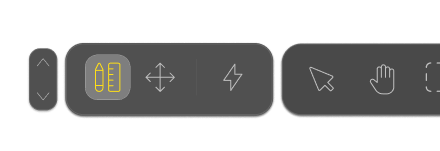
Photo with selection handles in Free modePage toolbar in AlbumTeller 2.0

There’s always
that one spread.

The engine gets almost every page right. Then there’s that one: the photo that needed two more centimeters, the two that would look better overlapping, the chapter opener that wanted a title.

Until now, there was no way around it. You dragged the photo and it went back to the template. Overlaps, rulers, text: none of that existed in AlbumTeller, and the fix was to export and finish the page in another program.

Fast as always.
More complete than ever.

Automatic mode and the Manual editor work just as they did. What’s new is on the page toolbar: next to Reactive mode, there are now two new levels.
You only go up when the page asks for it.

Photographer using the three modes on the toolbar

Free mode: the photo stays where you put it

One click and the frames disappear. Every photo gets handles: drag, resize, rotate, overlap.

You can build compositions no template has. As you drag, photos snap to the edges and centers of their neighbors and to the center of the page, and when you need an exact value, you type the width, height and position in the panel.

Workspace: all
the tools

It’s the next level, for detail work. The same page on a full screen, with zoom, rulers in your project’s units, guides you drag out of the rulers, area selection and a layers list. The arrow keys move the selection one millimeter at a time; with Shift, ten.

Free mode and Workspace work on the same page and the same objects. Workspace just gives you more room and more tools.

And, for the first
time, text

In Free mode and Workspace, the page now takes titles, captions and quotes. Six ready-made styles (Title, Subtitle, Section heading, Body, Quote and Caption) set size, weight and style in one click, and you can use any font installed on your computer.

A text box moves, rotates, sits on top of a photo and aligns like any other piece of the page. And when you export, it’s still text: PSD gives you editable text layers in the same font, and IDML gives you text frames with the font, size and leading preserved.

She used to design by hand

“For a long time I designed my albums in InDesign, because none of the software out there gave me that kind of freedom and interactivity. AlbumTeller’s layouts match my style: clean, making the most of every photograph, every meaningful moment.”

— Carol Souto Mayor, photographer

Carol Souto Mayor

FAQ

Does 2.0 change Automatic mode or the Manual editor?

No. Both work as they did, and Reactive mode is still where every page starts. Free mode and Workspace sit on the page toolbar in both editors, and you only use them if you want to.

What happens to a page when I switch to Free mode?

The frames disappear and every photo becomes an object with handles that you can move, resize, rotate and overlap. From then on, that page’s layout is whatever you do by hand. The rest of the album stays in Reactive mode, as it was.

What if I want to go back to Reactive mode?

The engine rebuilds the page from the photos on it. Two things to know before you click: the manual layout is discarded and the texts are removed, because Reactive mode has no text. Undo brings it all back, but only while the project is open.

Can I edit the text in InDesign?

Yes. The IDML export gives you text frames with the font, size and leading. The fonts need to be installed on the computer that opens the file. In JPG, the text is part of the image.

How much does 2.0 cost if I already have a license?

Nothing. 2.0 is included in BASIC and PRO for anyone with an active license.

35% off the annual license untilOctober 14

Until October 14, the annual BASIC or PRO license is 35% off with code FREEMODE.