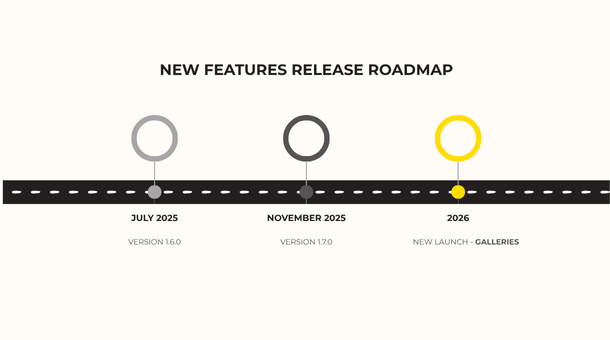
Selection Galleries
VERSION 1.8.0| 17.04.26
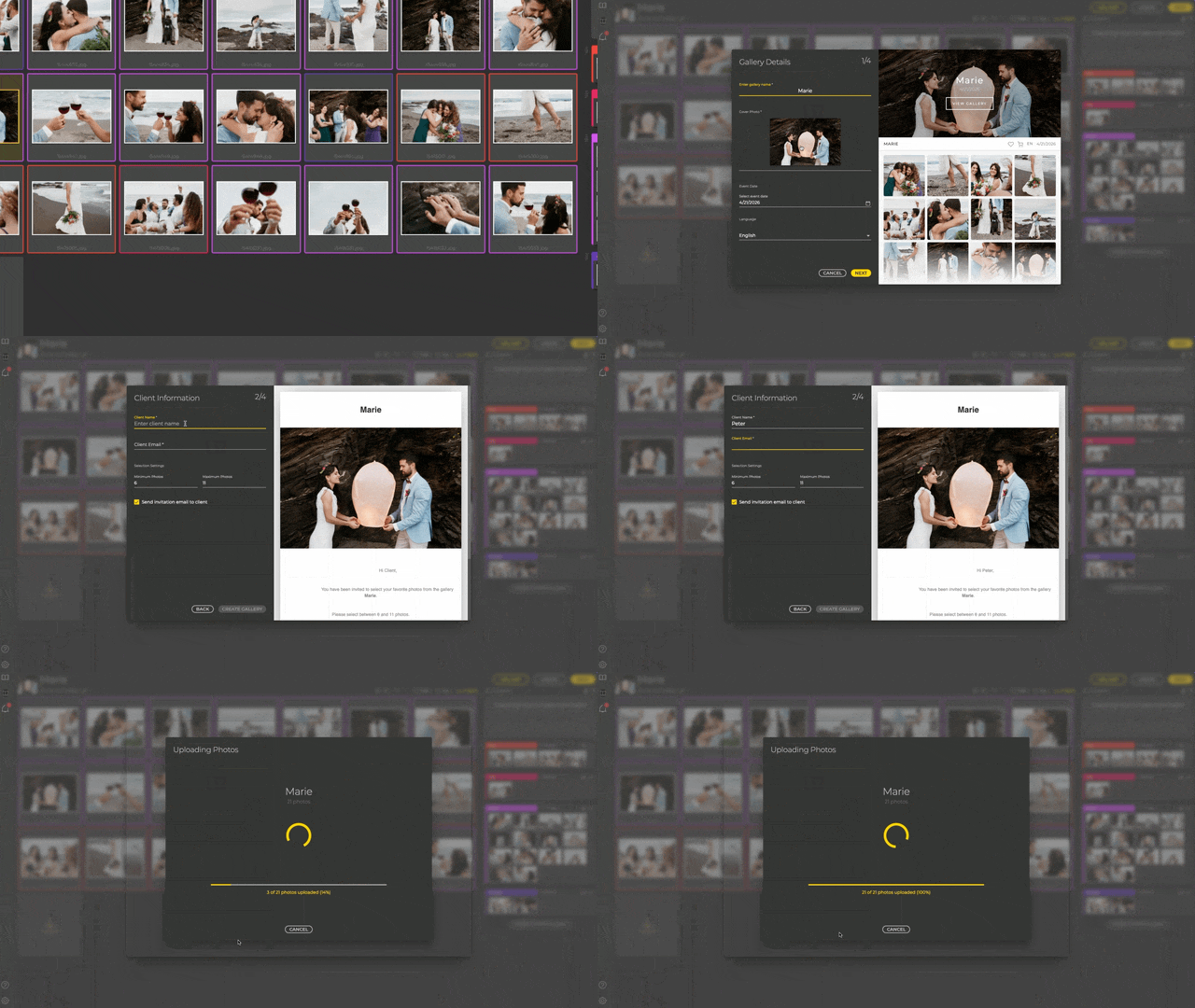
Albumteller Selection Galleries are the ultimate tool for kickstarting any album project. Forget endless email lists or disconnected third-party platforms. Simply create a custom gallery, set a minimum and maximum number of photos, and let your clients select their favorites.
Key benefits – Selection Galleries
-
Guided Client Selection: Eliminate indecision by setting mandatory minimum and maximum photo limits.
-
Instant Auto-Layout: Convert selections into a finished album design in seconds with one-click pagination.
-
One-Click Photo Swaps: Replace images instantly during the proofing stage without searching through local folders.
-
Professional Branding: Provide a high-end, intuitive interface that enhances your reputation and client trust.
-
Faster Turnaround: Save hours of admin time and emails, moving from photoshoot to final print faster than ever.
Proofing new features
VERSION 1.7.0 | 19.11.25
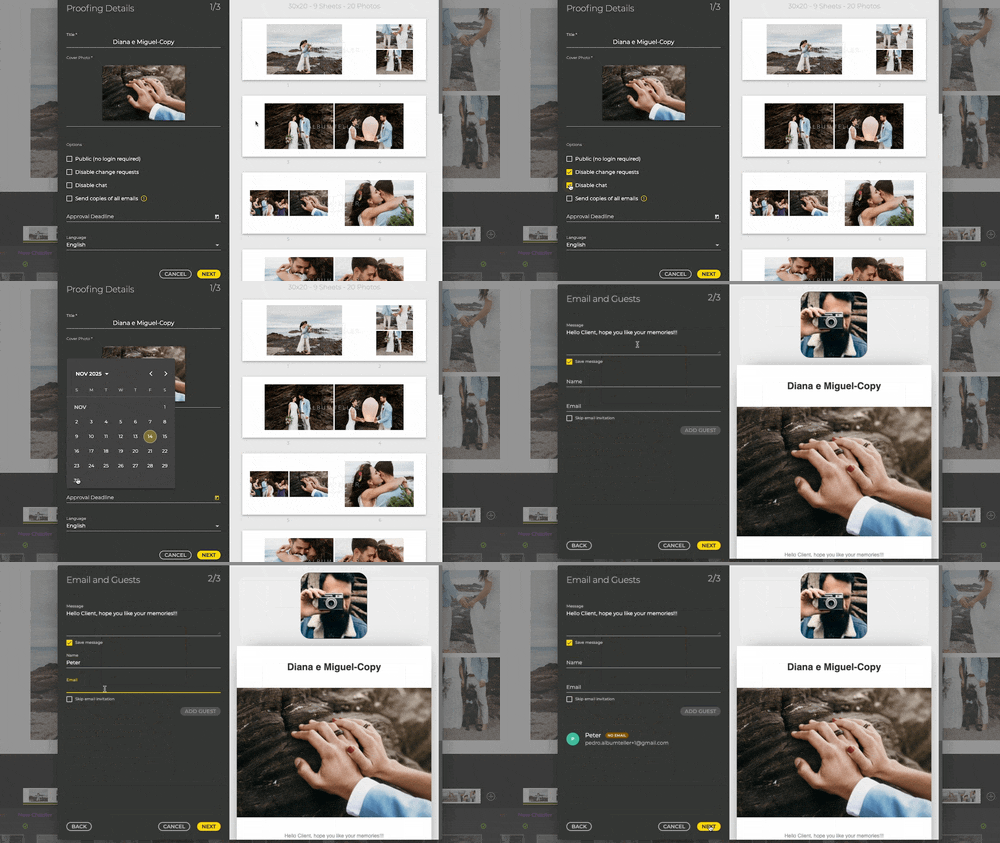
Communication & control tailored to you
The days of endless email chains and client delays are over. We listened to your feedback and completely overhauled the client proofing experience. These new tools are designed to save you days, not hours.
-
Control Client Interaction: Disable the chat or changes requests. You can also make the album public (no changes allowed). Ideal for portfolios.
-
Flexible Communication: you can now ignore the email invitation to use other communication method.
-
Multi-Language Support: Define a standard message and language for client communication, perfect for international clients.
-
Approval Deadline: Set clear expectations, create urgency to the client and be better organized around predictable deadlines.
-
Proofing report -Easily export the entire timeline (chat and changes) as a PDF for better control and proof of customer feedback.
-
Whatsapp invite – Meet your clients where they are! Copy, paste, and send– your client is ready to review the album instantly.
-
Message Badge – Quickly see which projects require your attention with the non-read message indicator on project cards.
New payment options
VERSION 1.7.0 | 19.11.25

Say goodbye to complicated transactions. We’ve streamlined the checkout process to be fast, simple, and secure.
Improvements
-
In addition to Paypal, we can accept a wide array of payment methods
-
Fast and simple payments with several credit/debit cards and Google Pay/Apple Pay
New export workflow
VERSION 1.7.0 | 19.11.25
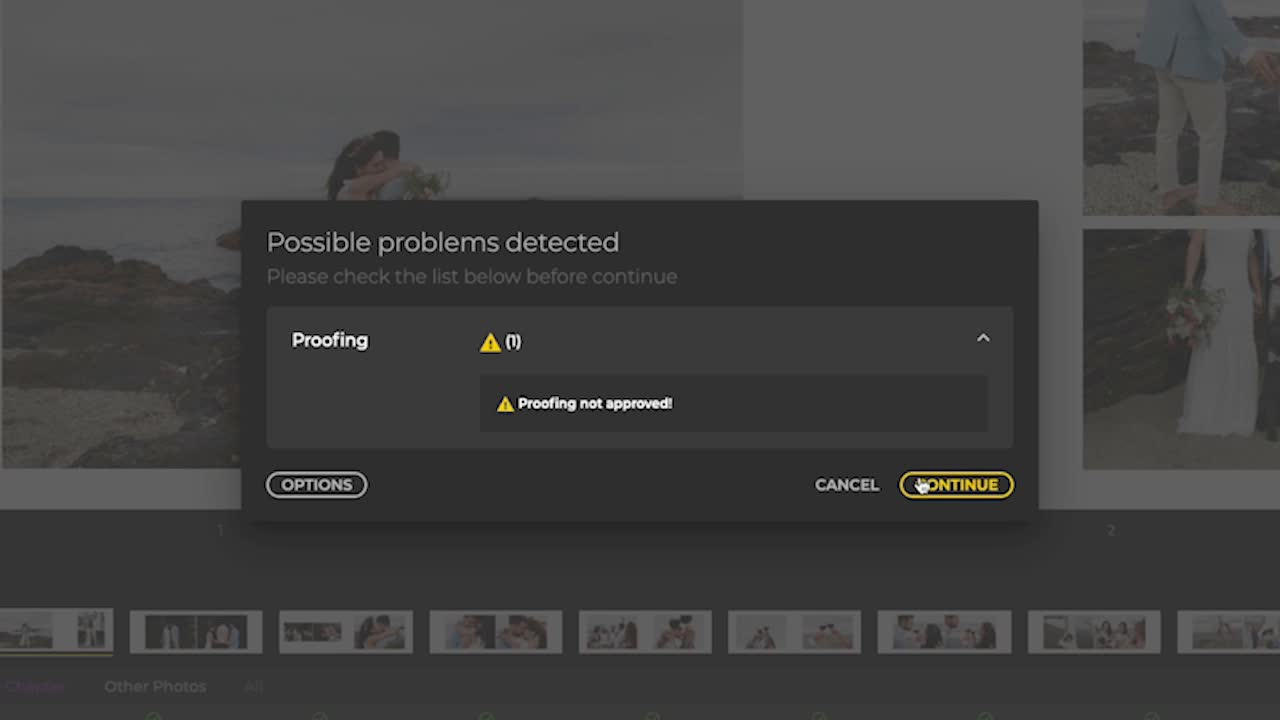
We’ve implemented a massive improvement to memory management during export and added a new flow with a comprehensive export history. Now, the system provides an explicit warning for exporting without client approval.
When you try to export a non-approved album, you now have clear options to manage your workflow:
-
Export Anyway – for quick drafts or internal use;
-
Wait for Approval – to respect the deadline
-
Export Again – after revisions;
-
Move to Completed – for final sign-off
Other key improvements
VERSION 1.7.0 | 19.11.25

Gain total control over print readiness with the new feature Smart Snapping Guides (Intelligent Bleed and Safe Area Indicators), providing dashed, real-time boundaries directly in your editor so you always stay within the lines. We also packed this update with crucial enhancements to keep your workflow running smoothly:
-
Project Status Auto-Reverse – The project status automatically reverts between Approved ↔ In-Proofing when changes are requested;
-
Rename of Padding – now is margin (in all languages except English);
-
Proofing – Guests Tab – renamed to “Settings”;
-
Names of the photos – optional display on the sheet;
-
Template styles – you can now choose to see all the combinations for a template or only the ones with same project style (same padding and gap).